Back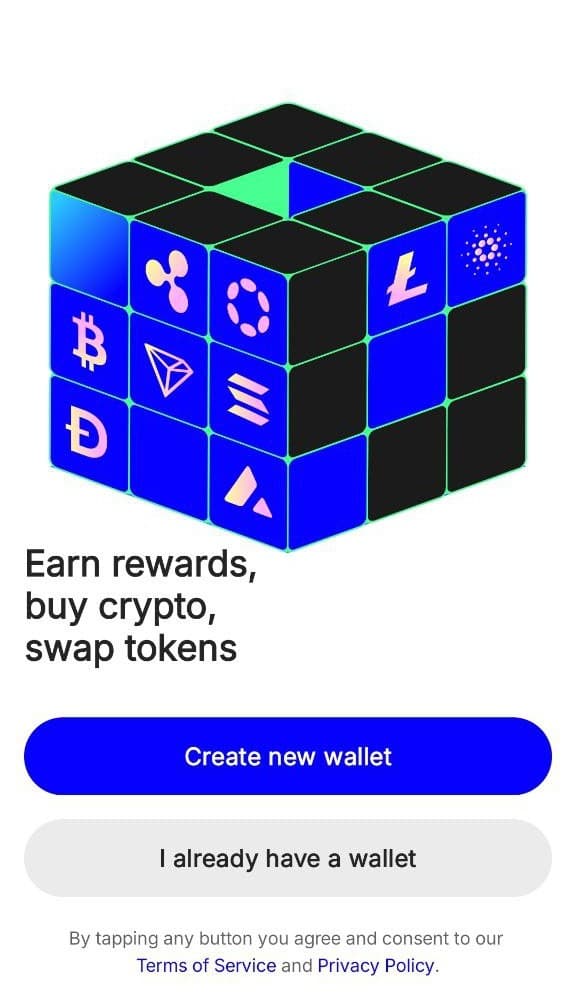
How to buy credits with crypto
If you are new to cryptocurrency, the first step you can take is to get a wallet or exchange app. If you already have cryptocurrency, please jump to Step 3.
Step 1: Get a wallet app
There are many cryptocurrency wallet apps to choose from. Here, we will use Trust Wallet as an example. You can choose to download it from the Apple or Google app stores, or use the browser extension. (Click the icon below to download)
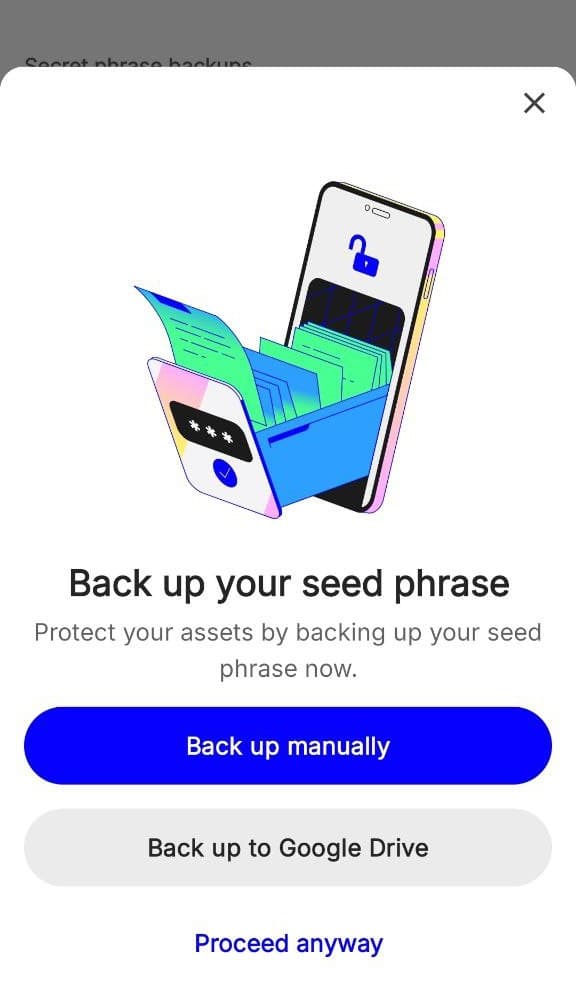
After downloading Trust Wallet, the next step is to create your first wallet according to the app's guidance (don't forget to back up your seed phrase to avoid losing it).
Tap "Create new wallet"
Back up your seed phrase
Step 2: Buying Cryptocurrency in the Trust Wallet App
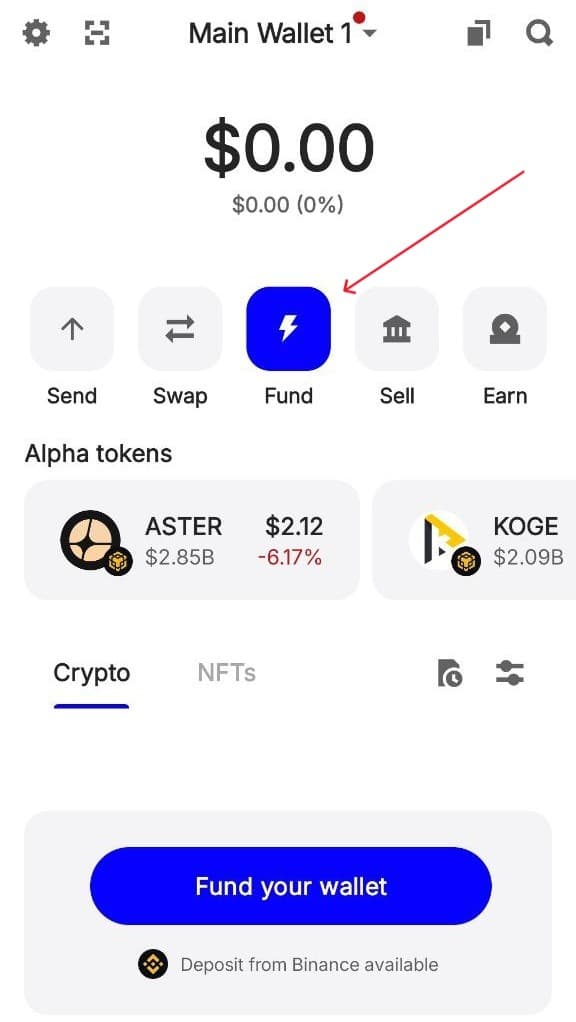
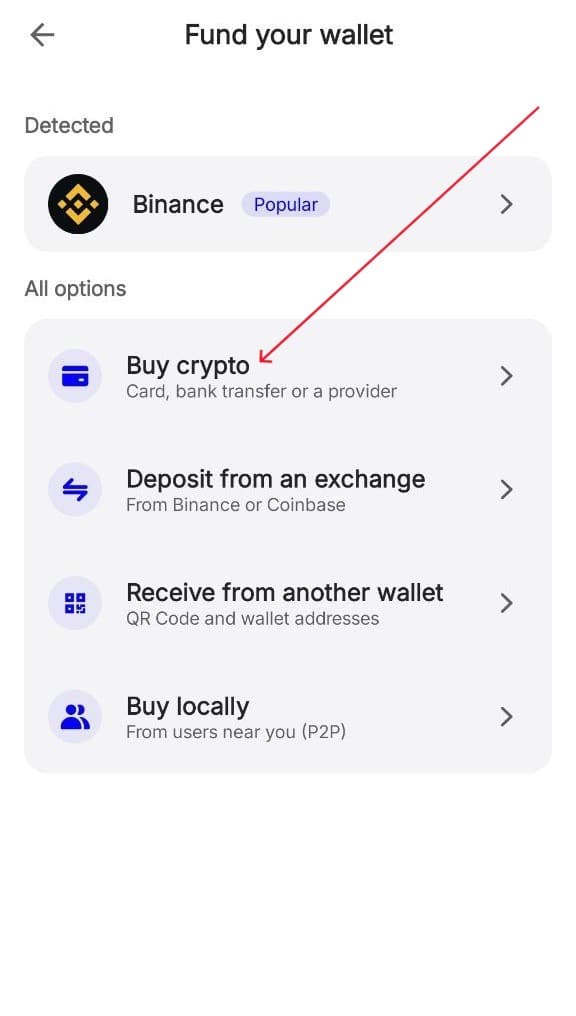
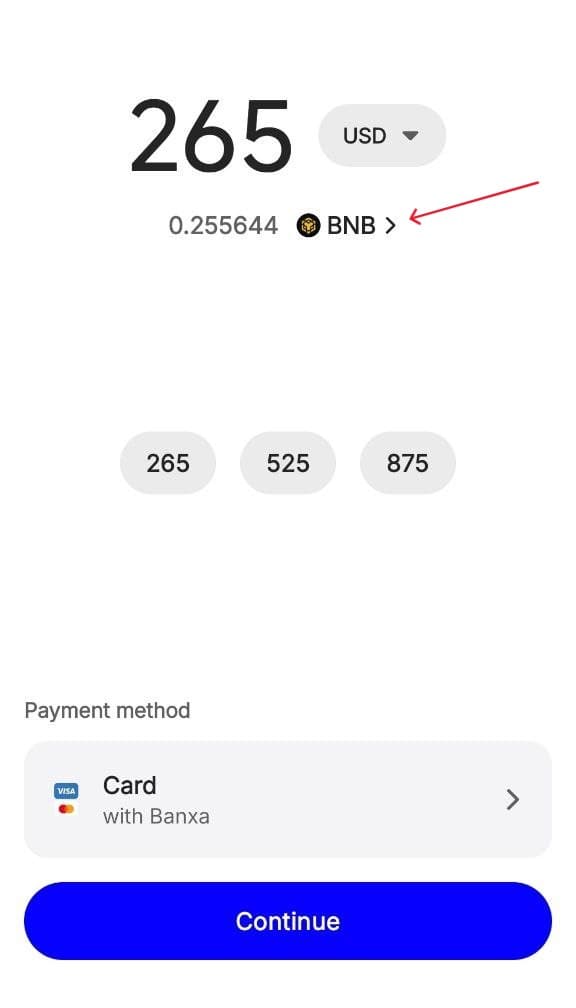
On the Wallet homepage, click the "Fund" button to enter the purchase page, then click "Buy Crypto" button, enter the fiat currency you want to use and the cryptocurrency you want to buy.
Here, the price may fluctuate depending on your region and the amount of Crypto you wish to purchase. Please note that this purchase step may require you to complete KYC.
Tip: We accept Bitcoin (BTC), Ethereum (ETH), USDT (ERC20), and Solana (SOL). Choose whichever cryptocurrency you prefer. Solana (SOL) has very fast transactions and low fees.
1. Tap "Fund"
2. Tap "Buy crypto"
3. Enter amount & buy
Step 3: Generate an order on our website
On the credits and plans page, choose the plan or credit package you want and click to pay with crypto.
Casual creators
Starter
$13.00/month
Get Started
300 monthly credits / 390 with crypto
Access all templates
Up to 3 at once
Priority over free users
Starter pack: 300 credits for $13
1. Choose a plan
Starter Plan (Monthly)
Pay with Cryptocurrency
Pay directly with cryptocurrency. No KYC required.
BTCBTC
ETHETH
USDTUSDT
SOLSOL
Continue to Payment
2. Click "Continue to Payment"
Select Cryptocurrency
Starter Plan — $13.00
BTC
Bitcoin
ETH
Ethereum
USDT
USDT (ERC20)
SOL
Solana
3. Choose your crypto
Step 4: Complete the payment in your wallet app
After selecting your cryptocurrency, you'll see a direct payment quote showing the invoice amount and a one-time payment address. You have 30 minutes to complete the payment before the invoice expires.
Then, you need to copy the payment amount and address. In your wallet app (Trust Wallet), select the cryptocurrency you wish to pay with, tap "Send", enter the address and amount, and confirm.
Send Payment
29:45
Waiting for payment...
Send Amount
BTC0.00012261
~ $13.00 USD
To Address
bc1qxy2kgdyg...r26n0
Bitcoin network
1. Copy the amount & address
Send BTC
Address
bc1qxy2kgdyg...r26n0Paste
Amount
0.00012261BTCMax
~ $13.00
Next
2. Paste in your wallet & send
Payment Status
300 Credits Added!
Thank you for your purchase
Amount0.00012261 BTC
StatusConfirmed
3. Credits added automatically!
1
Copy the payment amount and wallet address
Use the copy buttons next to the amount and address on the payment page. Make sure to send the invoice amount shown.
2
Open your wallet and send the crypto
In Trust Wallet, go to the cryptocurrency you purchased, tap "Send", paste the wallet address, enter the invoice amount, and confirm.
3
Wait for automatic confirmation
Keep the payment page open. We watch the wallet for the exact amount and add credits status. Once the transaction is detected and confirmed, your credits will be added automatically. This usually takes 5-30 minutes depending on network congestion.
Tips
- Send the invoice amount shown on the payment page. The invoice has its own payment address, so it can still be matched even if the wallet display rounds the amount. Large underpayments may still need support.
- Make sure to select the correct network. For USDT, you must send on the Ethereum (ERC20) network. If you send USDT on a different network (like TRC20 or BEP20), the payment will not be detected. Please be sure to select both the correct currency and network.
- Another common mistake is when an order gets stuck in a partially paid state, which usually happens because you forgot to pay the gas fee when making the payment. (However, this generally won't occur with Trust Wallet mentioned above, as Trust Wallet is designed to calculate the gas fee independently.) Nevertheless, if you are using other wallet apps, be sure to ensure that the actual amount paid (after deducting the gas fee) equals the amount on the order page, otherwise, your payment may get stuck.
- If you encounter any payment issues, please contact our support email with your payment information: screenshots, the order ID and payment ID from the webpage, the payment address from the webpage (case-sensitive), and the successful transaction Tx hash.
Bonus: Buy credits from cryptocurrency exchange app
Besides decentralized wallet apps, you can also buy and send virtual currency from exchange apps (like Binance, Coinbase, or Kraken), which often allows you to purchase cryptocurrency at a more favorable price.
Below, using Binance exchange as an example, you can watch the tutorial video to learn how to install and use Binance exchange.
Watch: How to use Binance Exchange
Step-by-step video tutorial on YouTube
After purchasing cryptocurrency through the Binance exchange, you will proceed from Step 3 above, generating a purchase order on our website and completing the withdrawal within the Binance app to make the payment.
Important: It is worth noting that exchange apps typically do not calculate the gas fee separately when withdrawing. You need to include the gas fee in your payment to ensure the final payment amount matches that on our payment page. For example, if our page shows 0.001 BTC and the network fee is 0.00003 BTC, enter 0.00103 BTC as withdrawal amount so the recipient receives exactly 0.001 BTC.
Payment Order
Amount0.00018752 BTC
USD Value~ $19.99
Addressbc1q...7D6tRXJ
NetworkBitcoin
1. Note amount & address
BTCBTC
0.00018752
~ $19.99
Add
Send
Convert
2. Tap "Send" in exchange
Send BTC
Address/Invoice
bc1qxy2kgdygjrsqtz...7D6tRXJ
Network
Bitcoin
Amount
0.00021752BTC
Network fee: 0.00003Receive: 0.00018752
Withdraw
3. Include network fee!
Need help?
If you encounter any issues during the payment process, our support team is here to help.